You might be unknowingly paying for GitHub Actions even after your workflows have finished. Let’s set the stage for being me: you’ve forked a project, enabled the GitHub actions, stayed under your limit, and contributed a great change to an open source project. You’re all good right? Karma’s good, it’s great code, and you stayed at a low limit usage under the GitHub actions allowances.
Fast-forward a month, and you’ll notice that your account is still being billed. What’s up? You’re not running actions anymore yet there still claims to be billing. It was about $4 a month, for nothing running. It’s not a lot, but it’s still a surprise.
How do you check that you’re getting charged?
View your billing usage at: https://github.com/settings/billing
In the billing summary, look for the ‘Repositories’ section to identify which projects are incurring charges.
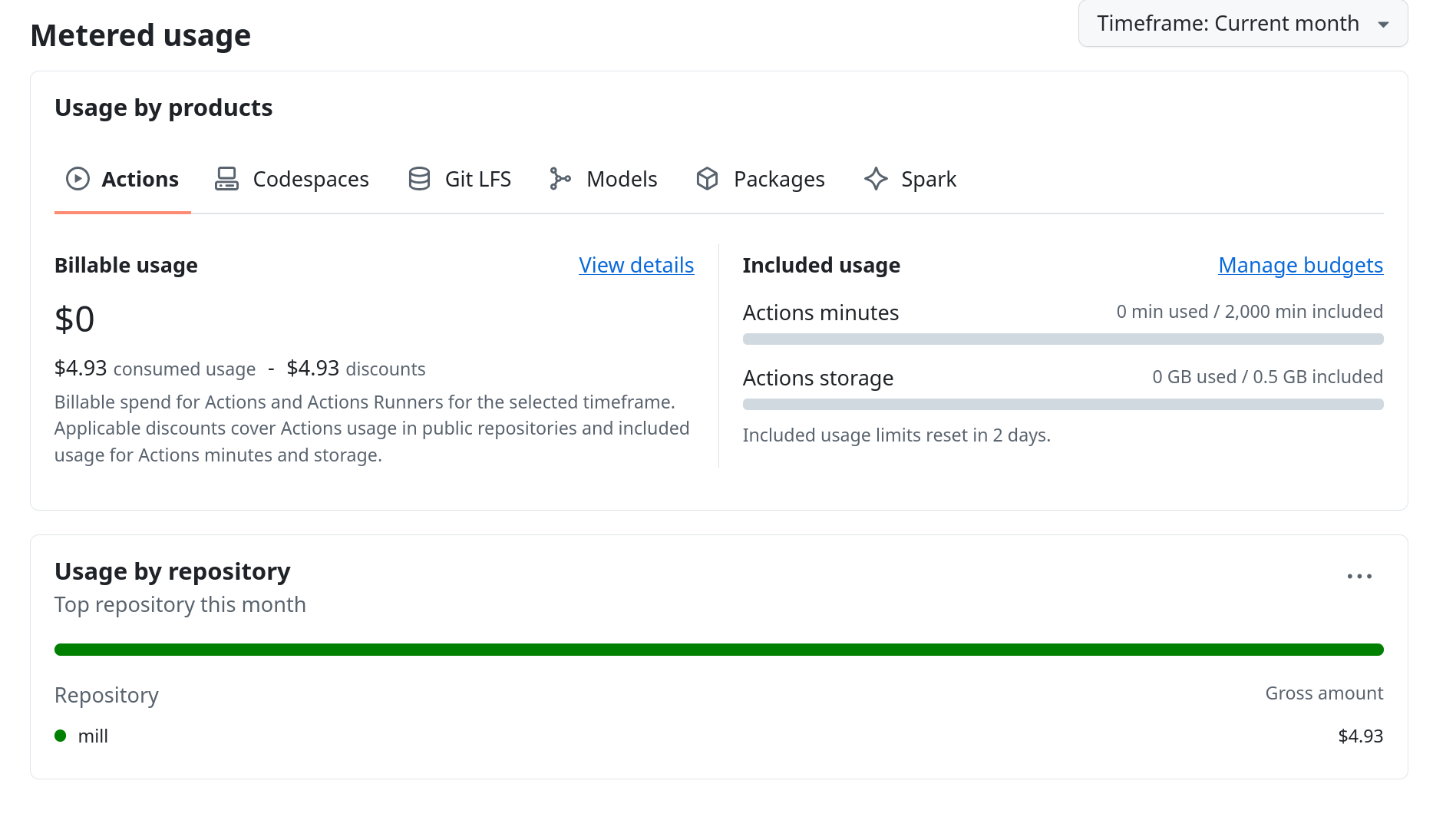
That tells me that my issue is showing up in the “mill” repository.
How do you fix this?
Go to each of the projects you’re still getting billed for and modify the retention setting.
Navigate to the ‘Actions’ settings for each project and reduce the ‘Artifact and Logging’ retention period.
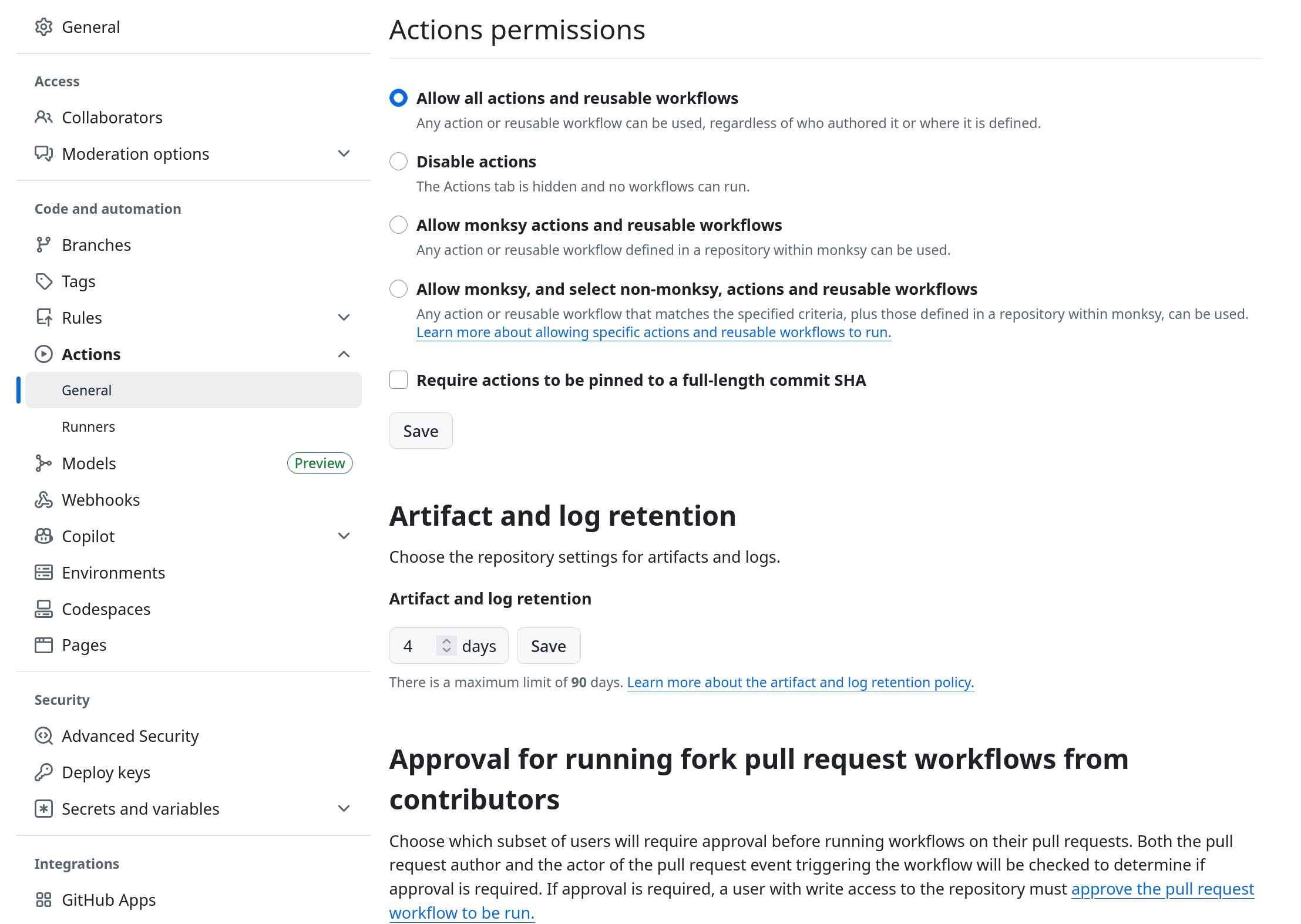
It’s a bit crazy that this is set to 90 days. For a lot of runs or having a lot of large build artifacts, that can get quite costly in a short period of time.
Also while you’re at it
Disable Action Runs for any forks without approval. There’s no reason you should be billed for others that forked your code.
Select the option:
Approval for running fork pull request workflows from contributors